How Brace AI is designing Apple Watch workout logging
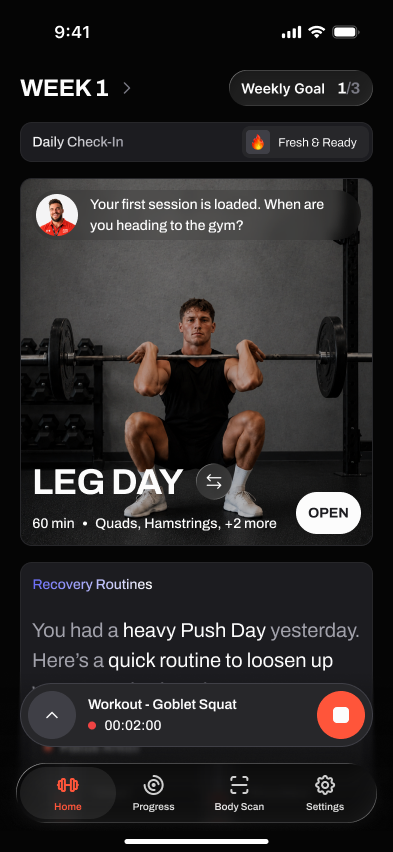
Brace AI is iPhone-first today, with Apple Watch support in development for wrist-friendly set entry and rest timers.
Short answer
Between sets is the worst time to wrestle with a phone. Brace AI is iPhone-first today, and the Apple Watch workflow is being designed as the natural place for quick logging and rest timers during a session.
Last reviewed June 2026. We judge this workflow by whether it helps during actual training: starting the session, logging cleanly, keeping momentum between sets, and turning the workout history into better next-session decisions.
Watch workflow in development
- 01
Start the session
Open the workout on phone first, then keep the intended session flow close while you train.
- 02
Log with fewer taps
The watch design target is quick set confirmation without digging through a phone between sets.
- 03
Rest timer support
Rest timing belongs in the workout flow because lifters need it mid-session.
- 04
Sync back to phone
The planned watch entries feed the same history that powers coaching and progression.
Why wrist logging is better
Faster between sets
The design goal is a wrist tap for common logging actions instead of unlocking a phone every set.
Rest timers with haptics
Rest reminders are one of the main reasons watch support matters for strength training.
Effort context
Heart-rate and effort context can help explain how hard the session was once the watch flow is live.
Synced workflow
The goal is one workout history across phone and watch, not a separate wrist log.
Wrist versus phone at the rack
Phones are fine for planning. Mid-session, they slow you down and break focus.
Doing it manually
- Unlock, open the app, find your set
- Tap a separate timer app for rest
- Phone on the floor between sets
- No effort data unless you wear a strap
With Brace AI
- Planned quick set confirmation on the wrist
- Planned rest timer prompts
- Phone-first planning while watch support is built
- Health and effort context in one training history when available
Where it helps
What changes before, during, and after training
The point of this feature is not to add another screen to manage. It should make the workout easier to start, faster to log, and clearer to review once the session is over. That is why we judge it by the full training loop, not by a feature checklist alone.
Before the workout, it should remove uncertainty: what to train, what load to use, or what to do if equipment is missing. During the workout, it should stay quiet and fast enough for real rest periods. After the workout, it should turn the session into a useful next step instead of leaving you to interpret the data manually.
When someone compares Brace AI with Hevy, Strong, Fitbod, or another gym app, the question is not whether the feature sounds impressive. The question is whether it changes the training outcome enough to justify switching workflows.
The practical test is whether you would still notice the feature after the first week. If it only looks impressive in onboarding, it is decoration. If it keeps saving time, clarifying decisions, or preventing missed data after ten sessions, it belongs in the core product.
New screenshots, examples, and comparison claims should explain a real training decision: starting the session, logging a set, adjusting the plan, recovering from a missed workout, or understanding what to do next.
If a feature cannot connect back to one of those moments, it probably does not deserve to be treated as a core training workflow.
Why you should trust this
Reviewed around real gym use
A workout feature only matters if it helps between warm-ups, working sets, rest timers, and the decision about what to do next. We judge each feature by whether it reduces friction during training or creates clearer progression after the session.
We also separate product claims from training judgement. Platform support, watch behavior, offline sync, and pricing should be rechecked from official sources at publish time; the recommendation is based on which workflow best fits a lifter's actual training week.
How we picked
What makes this feature useful
Workout-floor speed
The feature should make logging, checking targets, or moving to the next set faster, not add a second screen to manage.
Progression clarity
Good app features explain the next action: add load, hold steady, swap an exercise, rest longer, or adjust the week.
Reliability
Watch, phone, offline, and sync behavior need to work under gym conditions, including bad signal and short rest periods.
Frequently asked questions
Is Brace AI built for Apple Watch users?
Will the watch app track heart rate?
Will rest timers buzz my wrist?
Does it work with other watches?
Train with a coach, not a logbook.
Brace AI builds the plan, tracks the workout, and explains the next training decision without turning your gym session into spreadsheet work.